








Luster
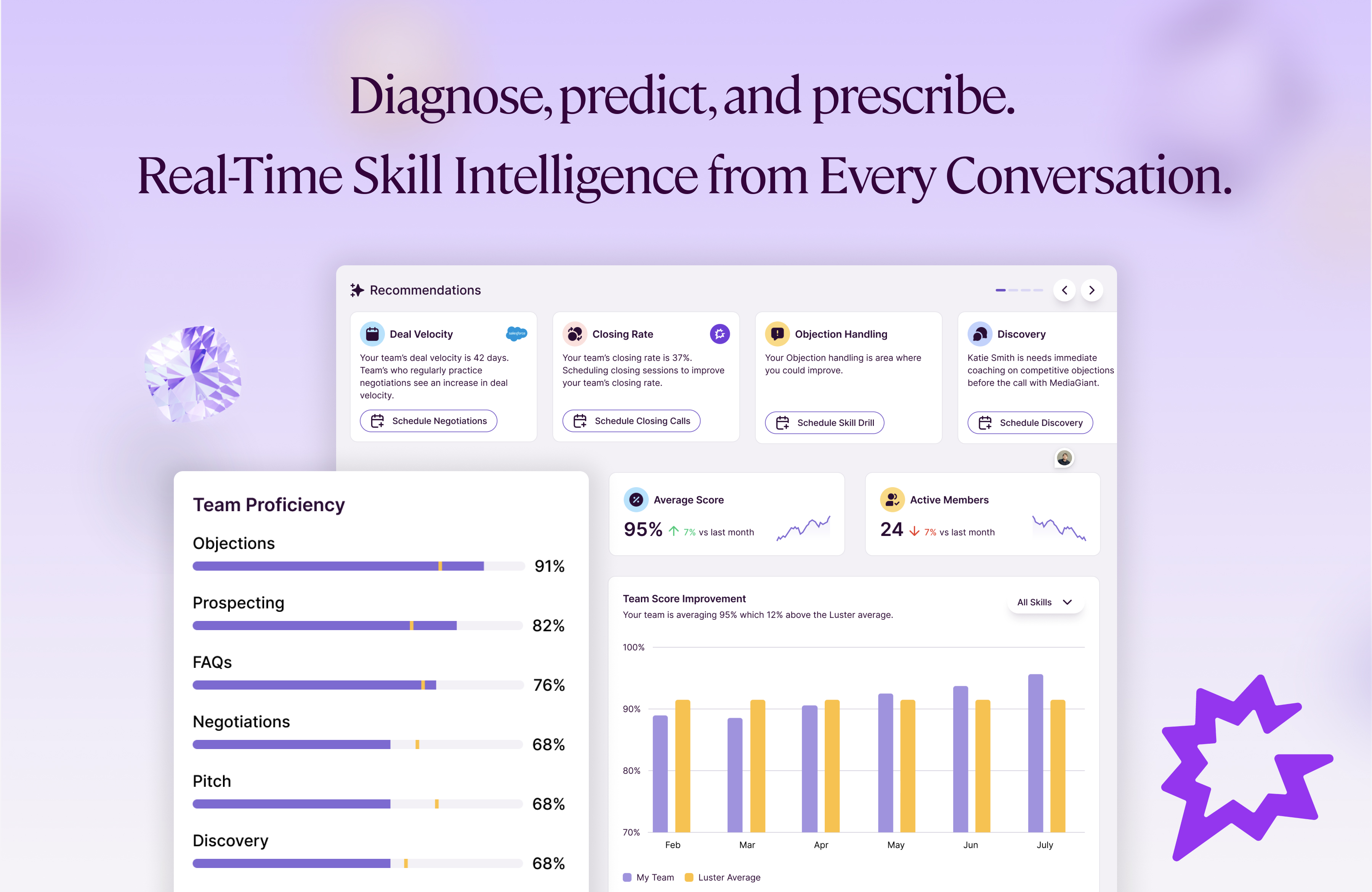
Unleash predictable revenue with Luster’s AI-powered enablement platform. Diagnose skill gaps, predict revenue risks, and prescribe the actions your GTM team needs to drive measurable growth.
About
The Luster Gong App connects Gong’s conversation intelligence with Luster’s real-time AI coaching platform to give sales teams actionable, personalized coaching based on their actual customer calls.
With this integration, Luster automatically ingests call recordings, transcripts, and essential metadata from Gong and analyzes them using our proprietary PearlAI engine. The output includes skill scoring, coaching insights, personalized development plans, and predictive indicators of revenue risk. These insights help reps improve faster, and help managers focus their coaching where it will have the biggest impact.
Luster provides:
🔹 AI Scoring & Insights
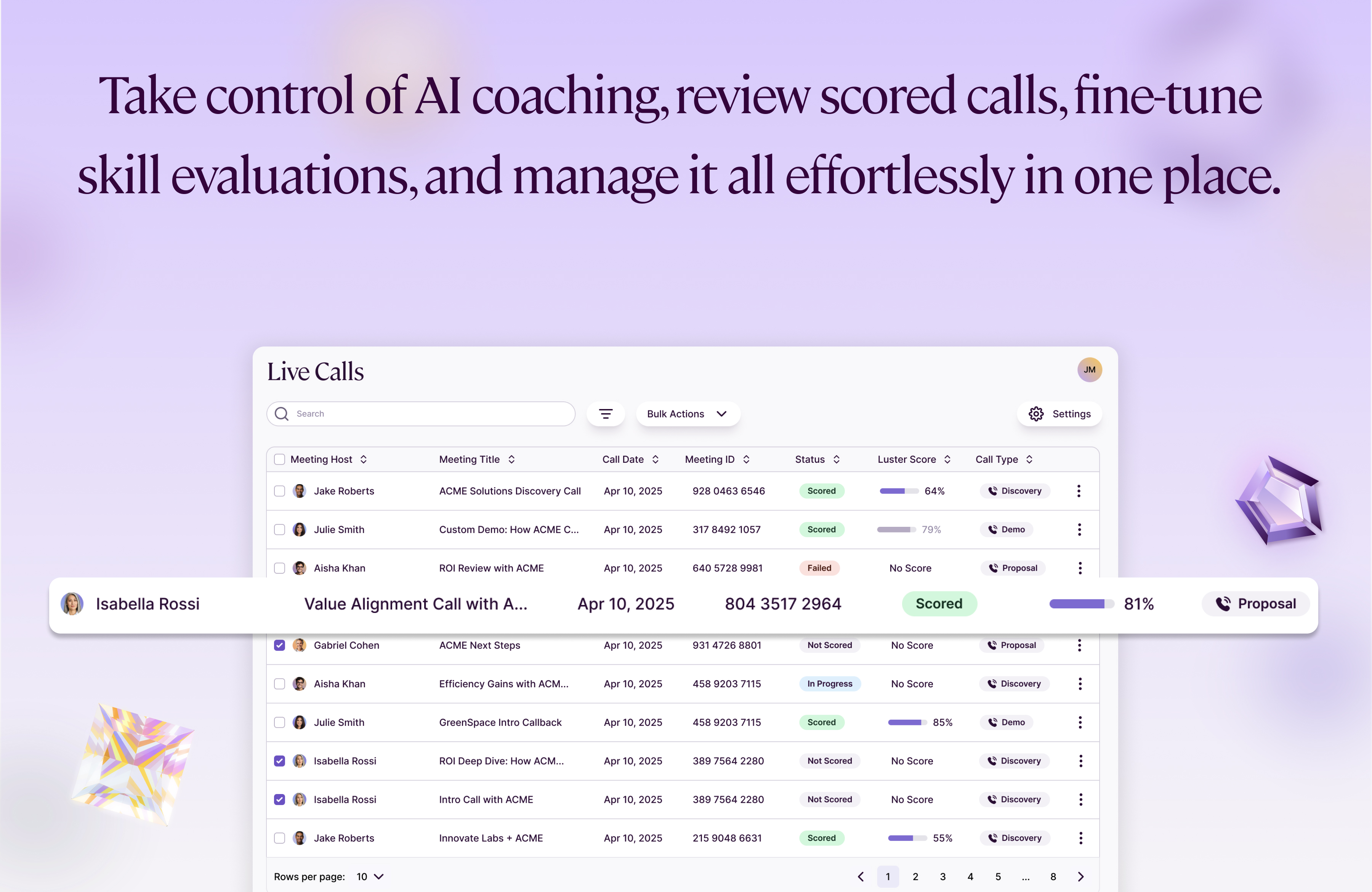
Automatically evaluates discovery skills, call control, qualification, objection handling, and more based on real conversations.
🔹 Real-Time AI Coaching
Reps receive immediate guidance on live calls and async feedback on Gong-recorded calls.
🔹 Weekly Coaching Plans for Managers
Delivered every Monday, highlighting behaviors most likely to impact near-term revenue based on each seller’s upcoming pipeline.
🔹 Predictive Enablement Signals
Aggregated insights across teams help revenue and enablement leaders identify training gaps, design data-backed enablement initiatives, and measure the effectiveness of enablement and learning programs.
🔹 Seamless, Secure Sync
Call transcripts, audio, and metadata sync directly from Gong via secure OAuth and Gong-approved scopes, ensuring user-level permissions and least-privilege access.
Media
Features
Import Calls
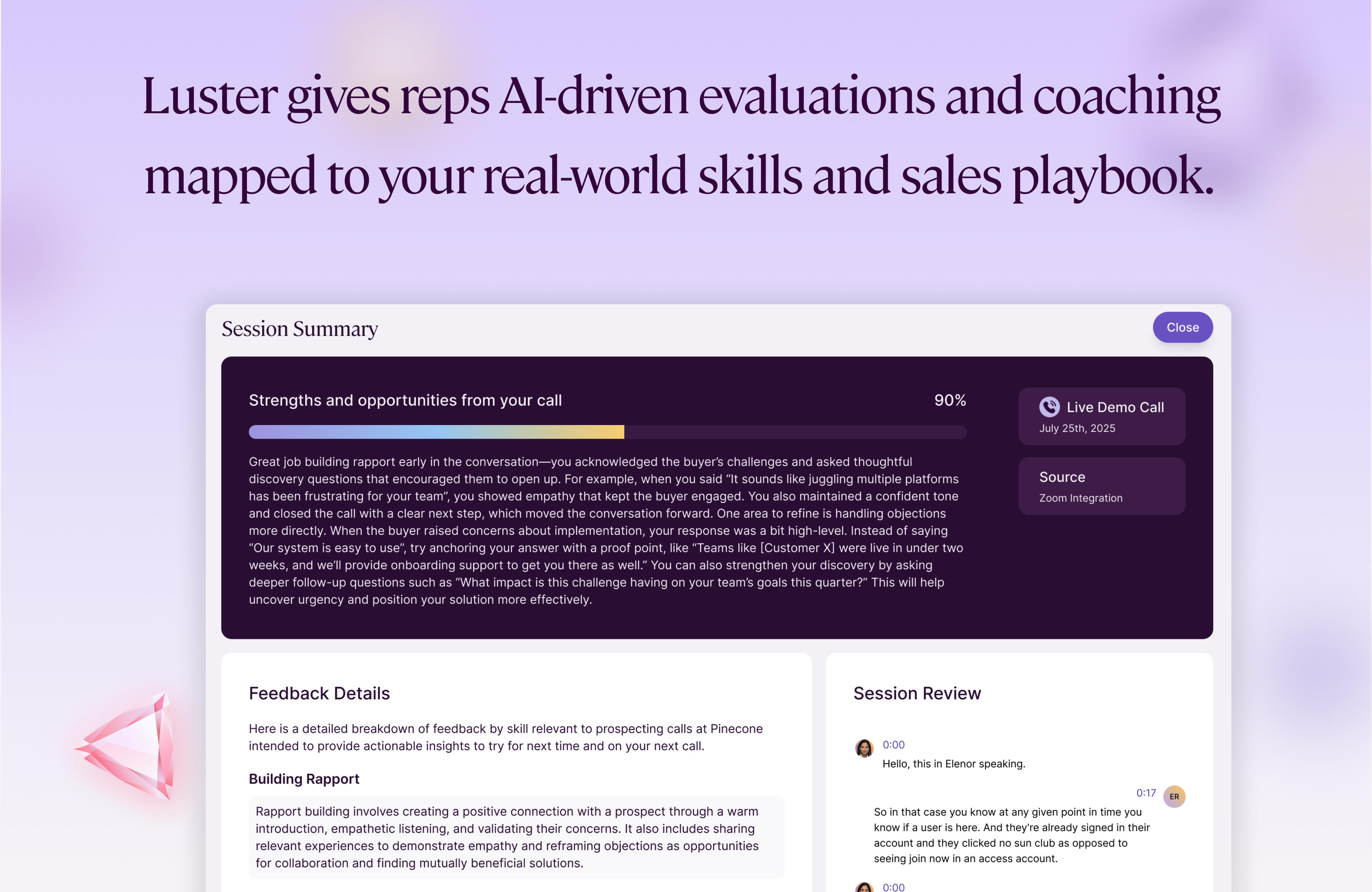
Luster automatically imports Gong call recordings, transcripts, and metadata to power AI-driven analysis and coaching. Once enabled, the integration securely ingests every eligible call so reps and managers can:
- Get instant AI scoring on discovery, impact questioning, and call control
- View skill trends across reps, teams, and segments
- Receive real-time coaching insights based on what actually happened in the conversation
- Identify revenue-risk behaviors early through predictive diagnostics
- Reinforce skills with personalized Luster practice sessions generated from Gong call data
Imported calls flow directly into Luster’s Predictive Enablement platform, where they fuel coaching plans, skill development paths, and management insights—automatically and without manual uploads.
Benefits
AI Coaching & Skill Insights for Every Gong Call
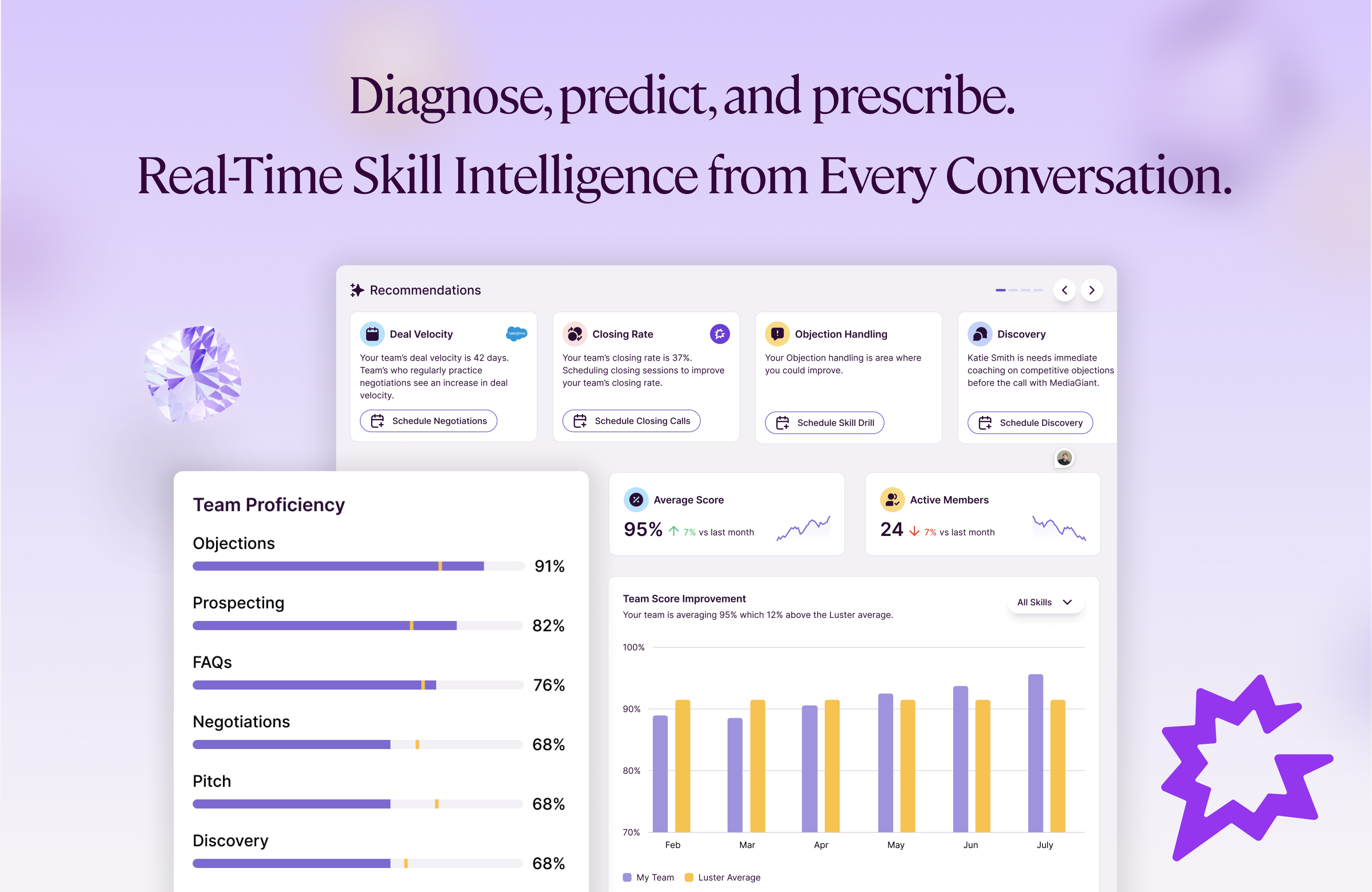
Luster turns every Gong call into instant, actionable coaching. Once enabled, Luster automatically ingests your Gong transcripts, audio, and metadata to diagnose selling behaviors, score core skills, and surface the biggest opportunities to drive revenue.
With Luster + Gong, you get:
- Automated analysis of every sales call
- Skill scoring for discovery, impact, and call control
- AI-generated coaching for reps based on real conversations
- Predictive insights that highlight behaviors most likely to impact pipeline
- Weekly coaching plans for managers, powered by upcoming meetings
- Practice sessions inside Luster to reinforce the exact gaps surfaced from Gong data
This integration gives teams a full loop: real calls → AI insights → personalized coaching → measurable improvement.
FAQ
Luster is an AI-powered sales enablement platform that helps revenue teams diagnose skill gaps, predict performance risks, and prescribe personalized coaching—automatically.
We analyze sales calls, roleplays, and live meeting behavior to give reps instant AI coaching and provide managers with weekly coaching plans focused on the skills that most impact near-term revenue. Luster also offers AI simulations so reps can practice using lifelike scenarios and reinforce new training.
The result: faster ramp, more consistent execution, and predictable revenue performance across the entire team.
Admins have full visibility into all user transcripts across the organization, managers can access transcripts for the users on their team, and individual users are limited to viewing only their own transcripts, ensuring the right level of access, privacy, and accountability at every level of the organization.
Integration Diagrams
Data
Call
Call
User
User
Transcript
Transcript

Data
Live Call Session
Live Call Session
Luster User
Luster User
Live Call Transcript
Live Call Transcript
Requirements
Subscriptions Required
To use the Luster + Gong integration, customers must have:
- An active Luster subscription (any plan that includes AI call scoring or integrations)
- An active Gong subscription with API access enabled
Both subscriptions must be active for call ingestion, analysis, and scoring to function.
Authenticating User Requirements
To authenticate this integration for the first time, a user must be a Gong Admin and have Admin permissions in Luster.
Connect
Integrating Gong with Luster allows your live and recorded calls to automatically sync into Luster for AI-driven skill diagnostics, coaching insights, and predictive performance analysis. This guide walks you through how to connect Gong, configure your webhook, verify the integration, and troubleshoot common issues.
Step 1: Go to “Integrations” in Luster
Step 1: Go to “Integrations” in Luster
- Log into Luster as an Admin.
- Navigate to Integrations and find the Gong Integration card.
---
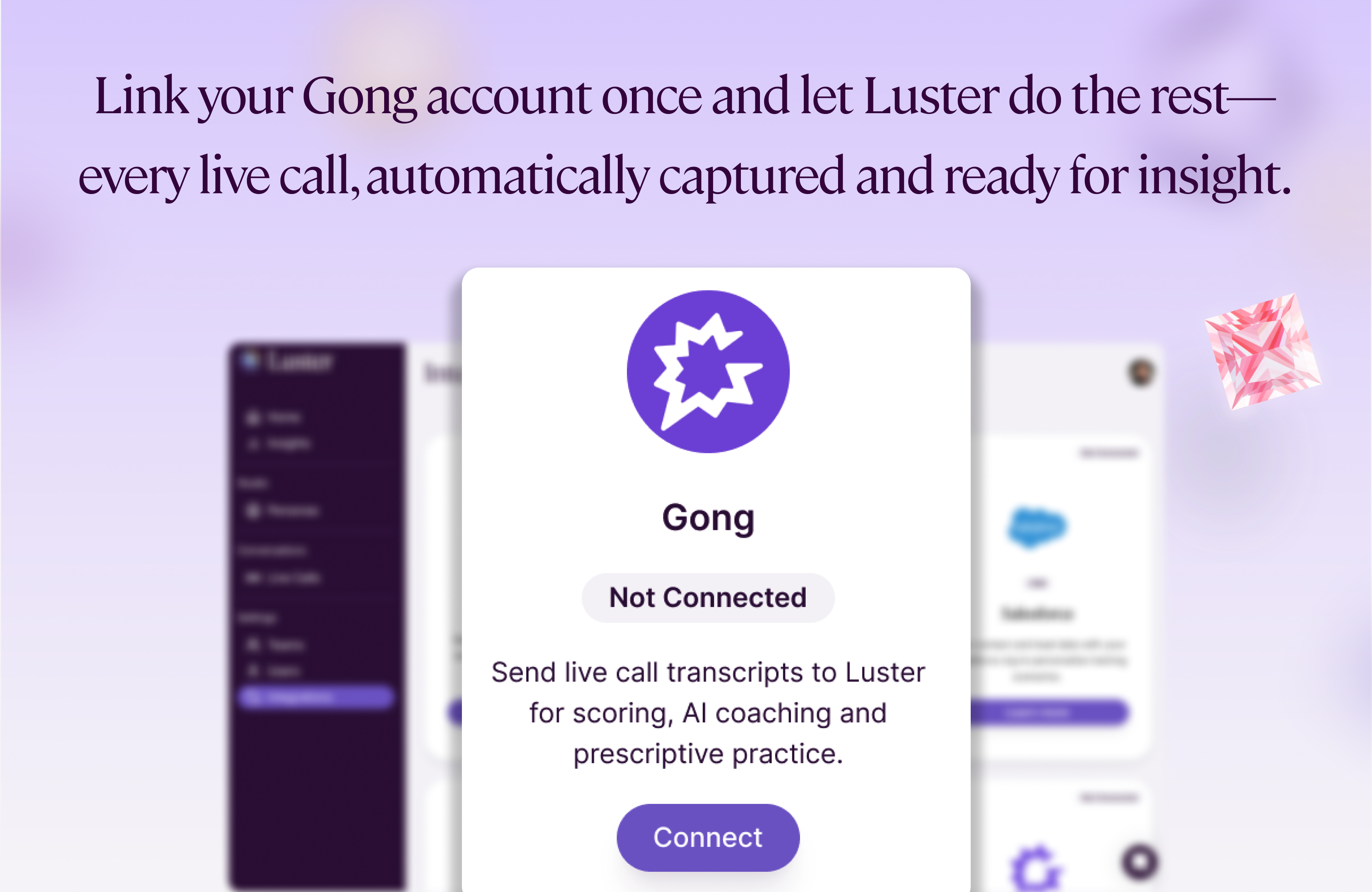
Step 2: Connect Gong
- Click Connect.
- When prompted, approve permissions to allow Luster to access Gong data (e.g., calls, transcripts, and metadata).
- Once approved, Luster will generate a Webhook URL that you’ll need to configure in Gong.
---
Step 3: Configure the Webhook URL in Gong
- Sign into Gong as an Admin.
- Go to Admin Settings → Ecosystem → Automation Rules
- Click Add Rule.
- Paste the Webhook URL from Luster into the provided field (it says "Your rule triggers the sending of data to a specified URL").
- Change the authentication method under "Select authentication method" to Signed JWT header.
- Add a Name and Description to the integration, then click "Rule Status" slider to enable the automation.
- Test the rule to ensure it is connected and working as expected.
- Click Save.
---
❌ Removing the Integration
If you no longer wish to use the Gong integration:
- Log into Luster as an Admin.
- Go to Integrations → Gong.
- Click Disconnect.
Implications of Removing
- Luster will immediately stop receiving new Gong calls and transcripts.
- Existing data already processed in Luster will remain accessible and secure.