








Modem
The agentic product teammate for AI-native software teams
About
Turn your customer calls into product topics, linked to the people and companies who raised them
Media
Features
Use Gong Data in Modem
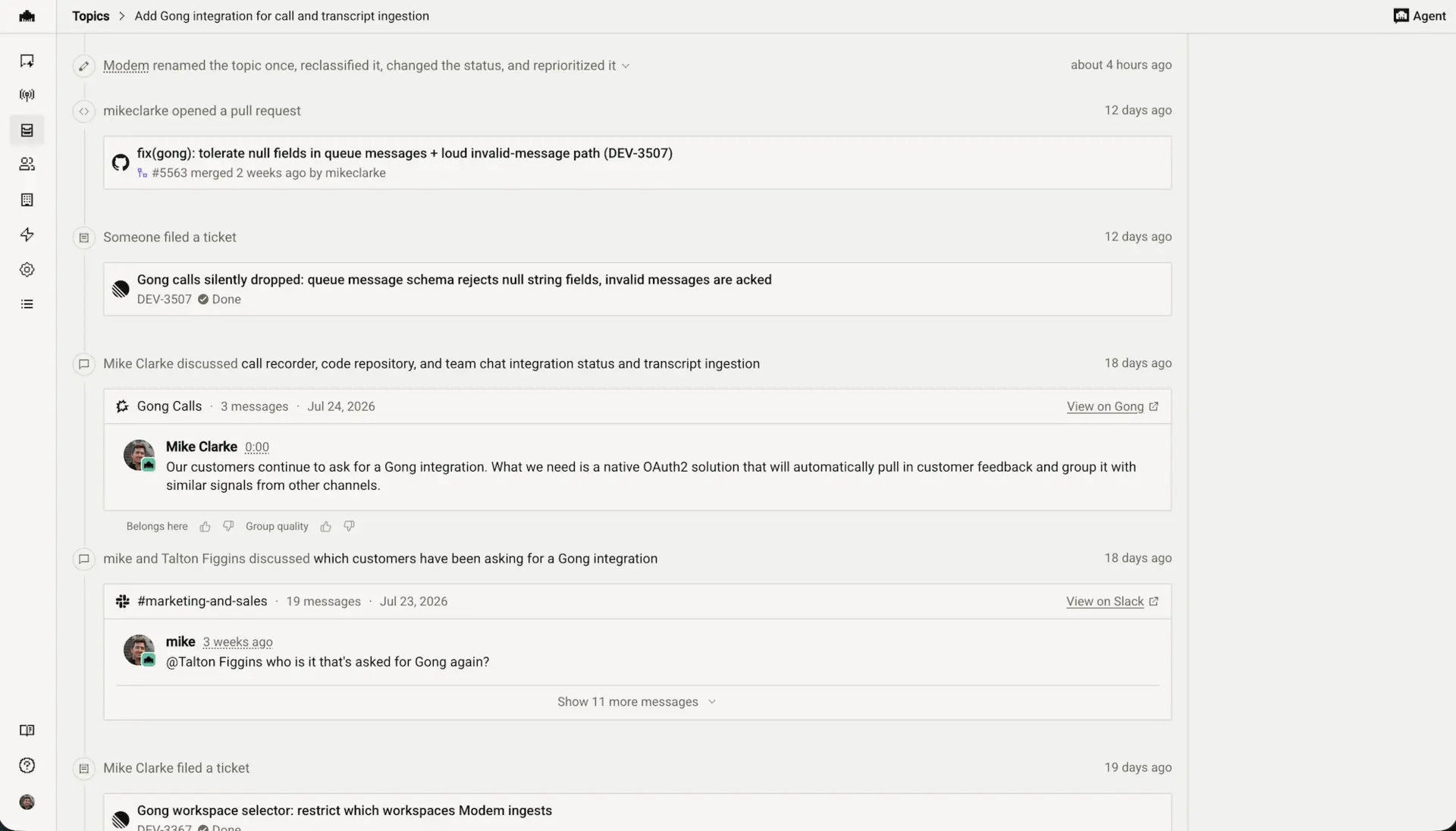
Modem ingests Gong call transcripts as speaker turns and groups them into topics alongside every other customer channel.
Benefits
Identify product signal from customer conversations
Modem identifies trends in Gong customer conversations and groups that with similar signals from other channels.
FAQ
No. Gong's API supports authorization only at the technical-admin level, so Modem holds one account-wide credential per Modem organization. It does not act on behalf of the person who clicked Connect, and it does not request or hold per-user Gong tokens.
Every call the account-level authorization can reach, within the Gong workspaces you have subscribed in Modem. Modem cannot see more than the approved authorization allows, but it also does not narrow that view down to any one user's permissions.
No. Modem does not mirror or re-apply Gong's per-user access rules. Once a transcript is captured it is stored against your Modem organization and is readable by every member of that organization through search, topics, and the Modem Agent — regardless of whether that person can open the same call in Gong. If a call is restricted in Gong, treat capturing it in Modem as widening who can read it. Review this with your Gong admin before connecting.
Four, all configured on the Modem side:
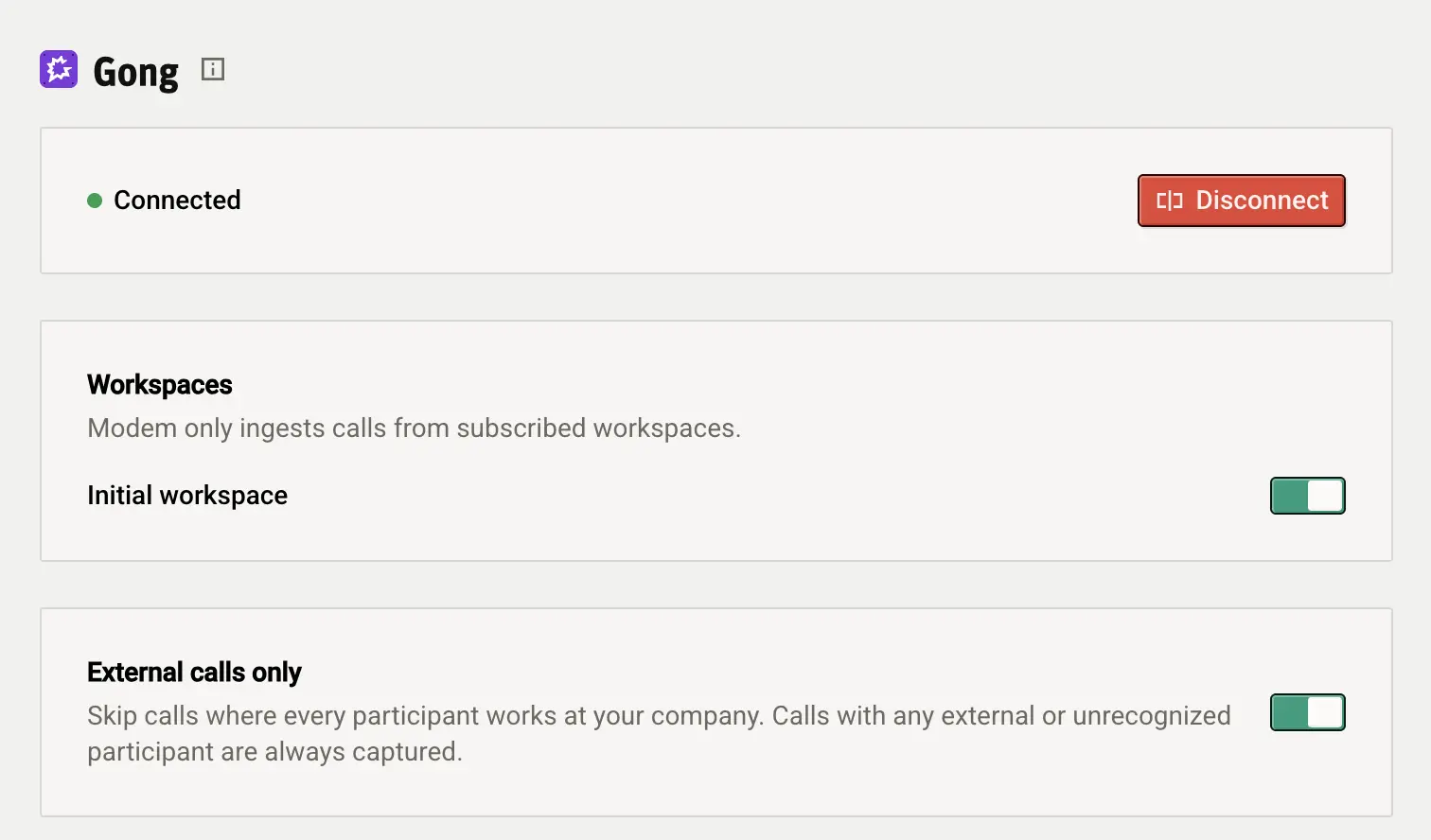
- Workspace subscriptions: the primary control. Calls in unsubscribed workspaces are dropped before Modem ever requests a transcript, so their content never leaves Gong.
- External calls only: on by default. Skips calls where every participant is marked Internal in Gong, also before any transcript is requested.
- Connect time: only calls that start after you connect are captured. There is no historical backfill.
- Disconnecting: stops all future capture immediately.
If certain calls must not be readable organization-wide in Modem, use a separate Gong workspace that is unsubscribed within Modem.
- Workspace subscriptions: the primary control. Calls in unsubscribed workspaces are dropped before Modem ever requests a transcript, so their content never leaves Gong.
- External calls only: on by default. Skips calls where every participant is marked Internal in Gong, also before any transcript is requested.
- Connect time: only calls that start after you connect are captured. There is no historical backfill.
- Disconnecting: stops all future capture immediately.
If certain calls must not be readable organization-wide in Modem, use a separate Gong workspace that is unsubscribed within Modem.
Only Modem organization owners and admins. Regular members can see the integration's status and settings but cannot change them.
Transcripts as speaker turns, participant identities (including any CRM record references Gong attaches), and call metadata - no audio or video. Modem never writes anything back to Gong. Disconnecting stops future capture; contact [email protected] to delete already-captured data.
Integration Diagrams
Data
Gong Data
Gong Data

Data
Modem
Modem
Requirements
Subscriptions Required
Must have Modem paid subscription
Authenticating User Requirements
To authenticate this integration for the first time, a user must be a Gong Technical Administrator and have owner or admin permissions in their Modem organization. Gong authorization is account-wide and granted once.
Connect
1. In Modem, go to Settings → Integrations → Gong
2. Click "Connect with Gong"
3. Sign in to Gong and approve the requested read-only scopes (Gong Technical Admin required)
4. Back in Modem, choose which Gong workspaces to capture — all are on by default
5. New calls appear in Modem within about 15 minutes of Gong finishing processing
2. Click "Connect with Gong"
3. Sign in to Gong and approve the requested read-only scopes (Gong Technical Admin required)
4. Back in Modem, choose which Gong workspaces to capture — all are on by default
5. New calls appear in Modem within about 15 minutes of Gong finishing processing