









nexos.ai
Work at your full potential with no-code AI Agents and automated Workflows in a single AI platform. Get nexos.ai and watch boring work run itself.
About
nexos.ai is an enterprise-grade agentic AI platform for building no-code AI agents and automated workflows. It unifies 200+ LLMs behind one secure API and connects them to your business data and tools — helping revenue, ops, and support teams replace scattered AI tools with one governed platform.
Media
Features
Use Gong Data in nexos.ai
Build no-code AI agents in nexos.ai that use Gong call recordings, transcripts, summaries, and trackers as live context — so every answer is based on what your customers actually said.
Trigger workflows that summarize new Gong calls into MEDDIC, SPICED, or any custom framework, and deliver them to Slack, MS Teams, email, or your CRM within minutes of the call ending.
Trigger workflows that summarize new Gong calls into MEDDIC, SPICED, or any custom framework, and deliver them to Slack, MS Teams, email, or your CRM within minutes of the call ending.
Personalized follow-up drafting
Generate prospect-specific follow-up emails, recap notes, and next-step proposals that reference real objections, commitments, and competitor mentions from the Gong transcript.
Push nexos.ai Events to Activity Timelines
Run agents across your Gong deal data to surface at-risk deals, missing next steps, competitor mentions, and buying signals — then push alerts or tasks to the right owner automatically.
Benefits
Turn every Gong call into hours of saved work
Eliminate manual note-taking, summarizing, and CRM updates. Reps walk out of calls with the follow-up already drafted, the deal record already enriched, and the next step already scheduled.
Faster, better follow-ups that move deals forward
AI-generated, conversation-specific follow-ups go out in minutes instead of days — keeping momentum high and shortening sales cycles.
Make every rep perform like your top rep
Instantly search what worked in winning calls, replay top objection handling, and give every seller on-demand access to your best institutional knowledge — turning tribal know-how into a coachable asset.
Higher CRM hygiene, automatically
Calls are summarized, tagged, and pushed into Salesforce, HubSpot, Pipedrive, or HasOffers without rep effort — giving leadership clean data to forecast and report on.
FAQ
Yes, nexos.ai use Gong Public API which is reachable only by Gong users with "technical administrator" permissions.
Integration Diagrams
Data
Gong Call Data
Gong Call Data

Data
nexos.ai LLM Agents
nexos.ai LLM Agents
Requirements
Integration enablement requirements
To enable this integration for the first time on nexos.ai workspace, a user must have owner role in nexos.ai workspace.
Authenticating User Requirements
To authenticate this integration, a user must be a Gong user with the appropriate permissions (tech admin) to authorize the integration.
User will need to allow nexos.ai to access Gong Public API and perform some operations.
User will need to allow nexos.ai to access Gong Public API and perform some operations.
Connect
Step 1 — Company owner: Enable Gong integration inside nexos.ai
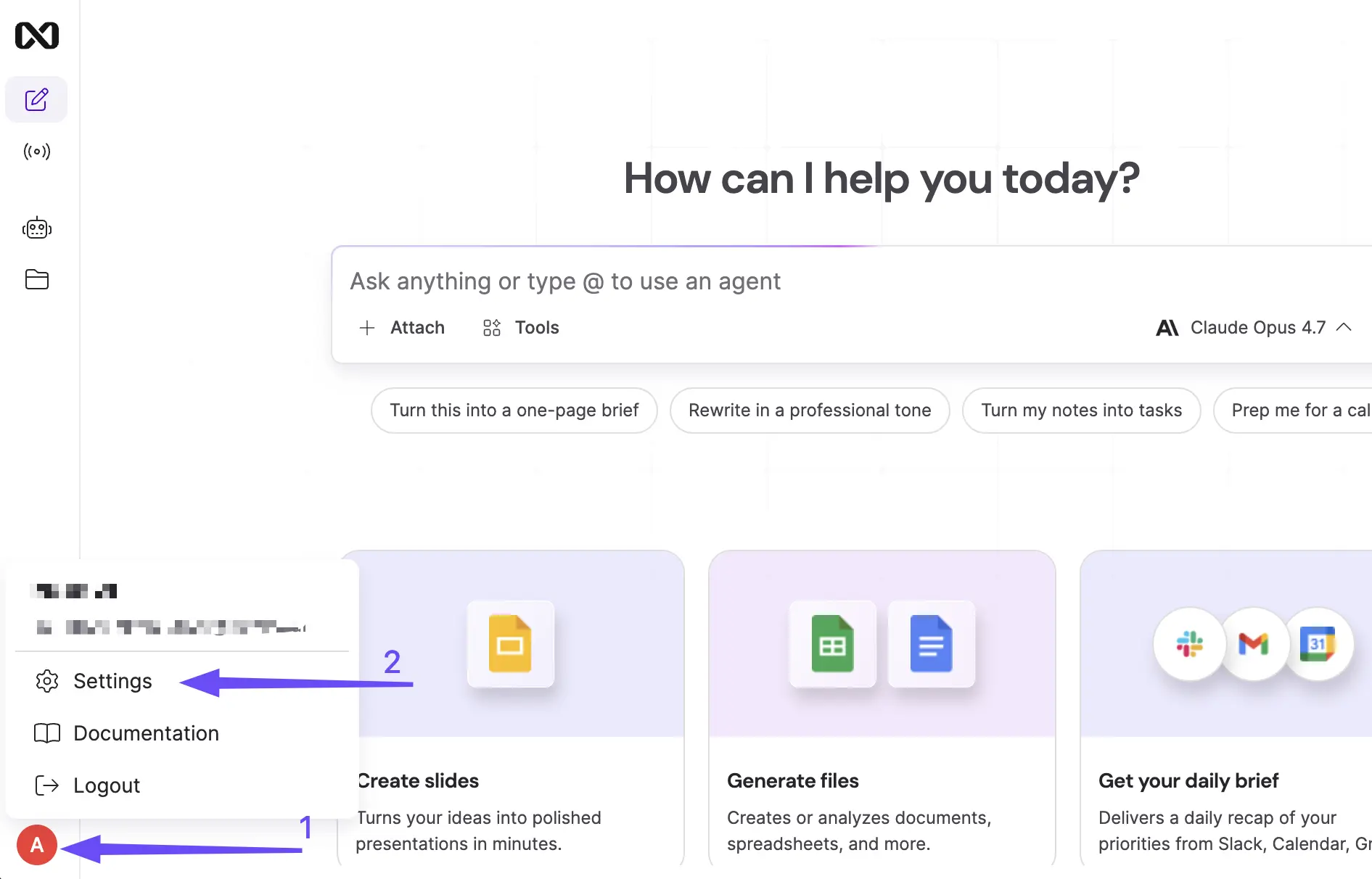
- Log in to https://workspace.nexos.ai
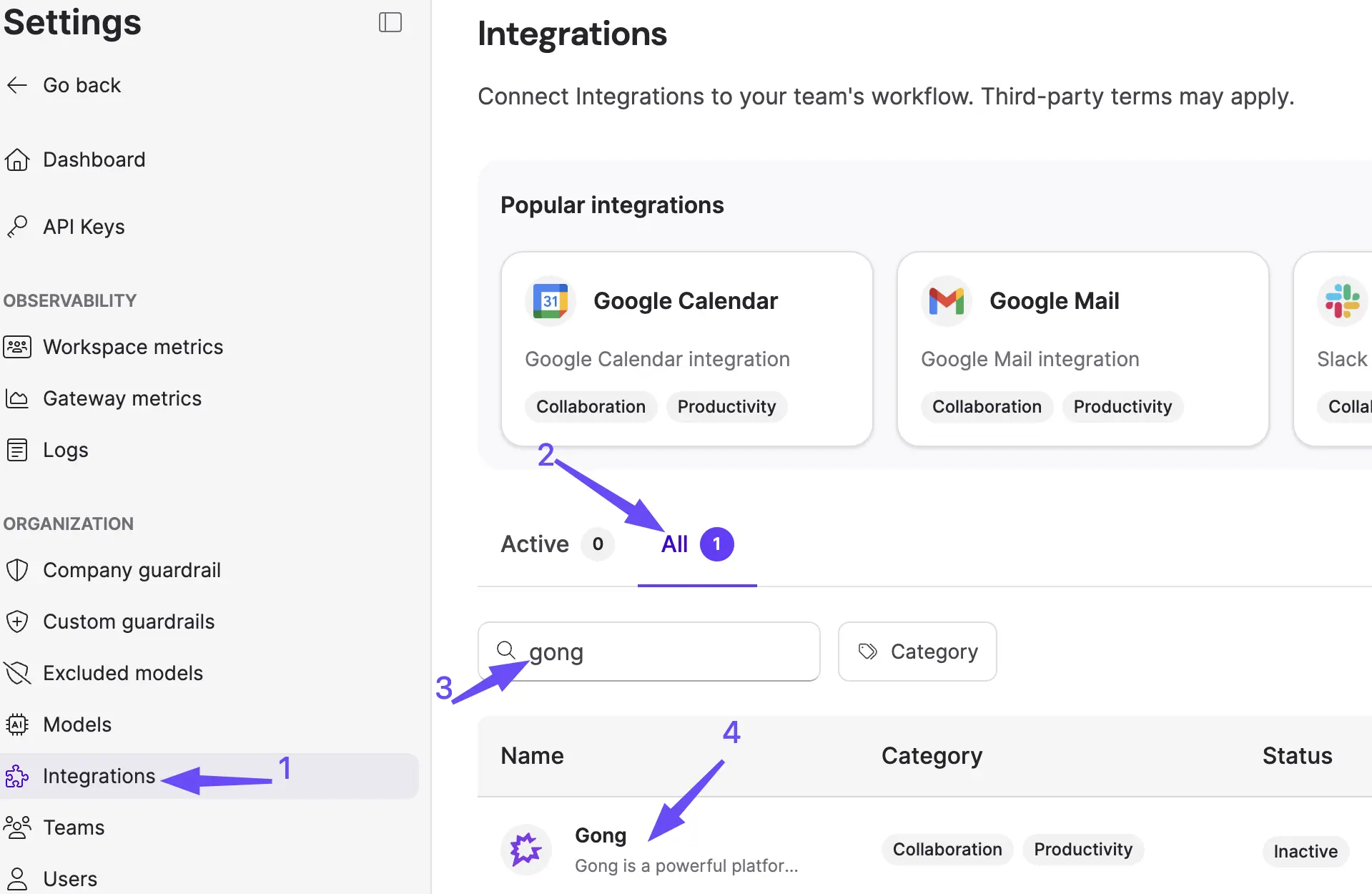
- Open Settings → Integrations.
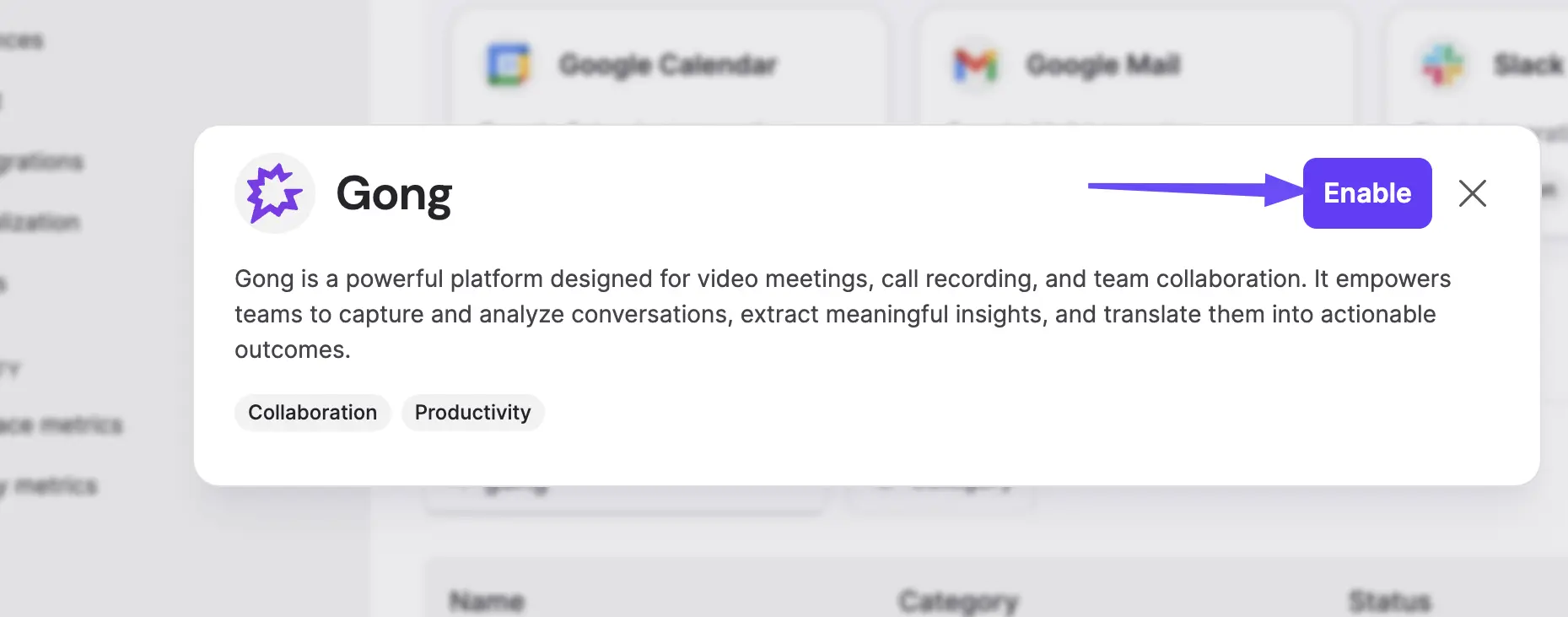
- Find Gong in the integration catalog and click Enable.
Step 2 — Company user: Connect Gong inside nexos.ai
- Log in to https://workspace.nexos.ai
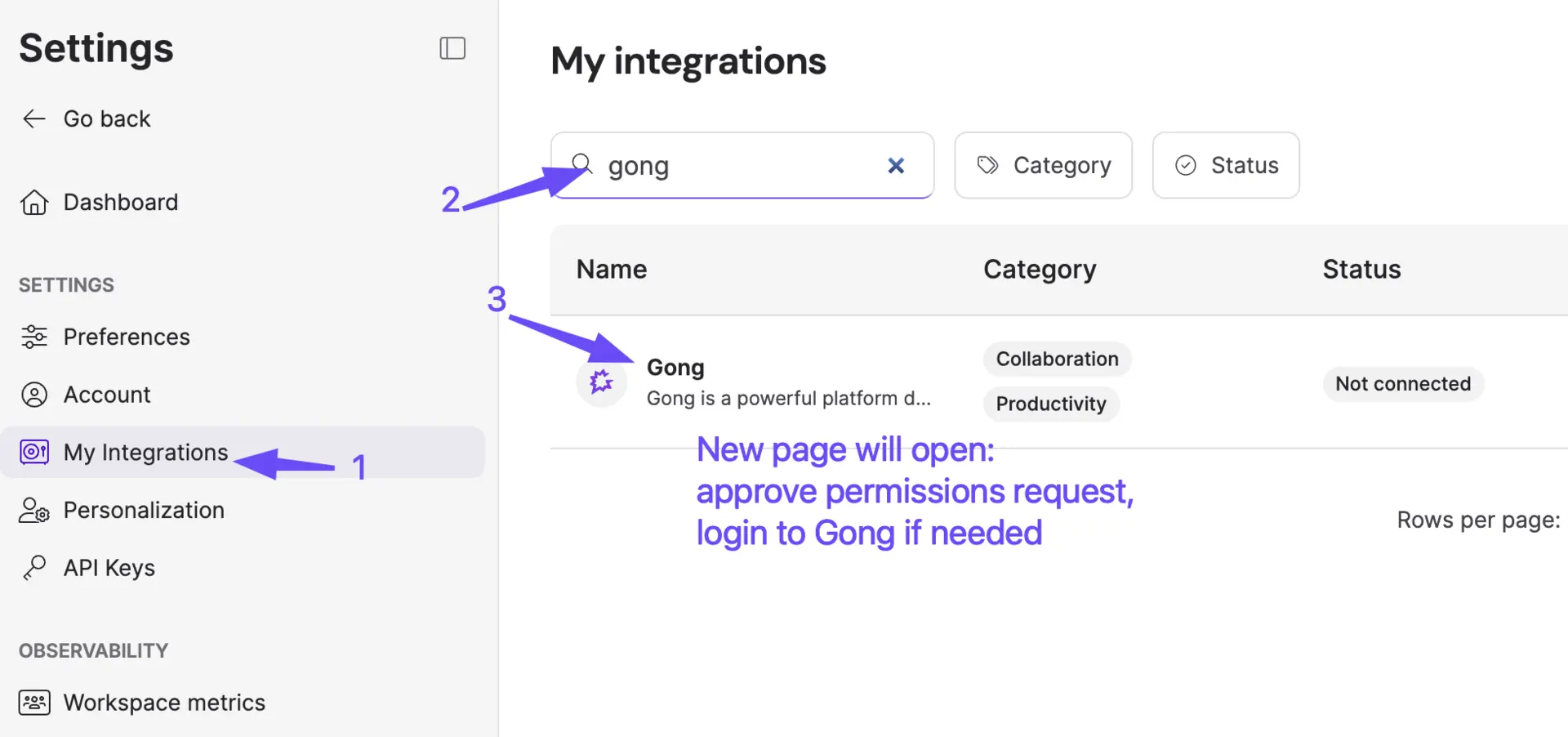
- Open Settings → My Integrations.
- Find Gong in the available integrations list and click Connect.
- Redirect to Gong authentication page will happen, login with Gong credentials (you must be a tech admin at Gong for this!)
- After redirect back, you are ready to use Gong integration: enable it in chats or with Agents