









Suger
Suger automates cloud GTM for ISVs selling on AWS, GCP, and Azure Marketplace. Streamline co-sell, private offers, metering, and CRM sync in one platform.
About
Suger brings listings, offers, co-sell, billing, and revenue intelligence into a single platform across AWS, Azure, and GCP, with the AI & Intelligence you need to scale your Cloud GTM.
Media
Features
Automate post-call workflows with Gong data
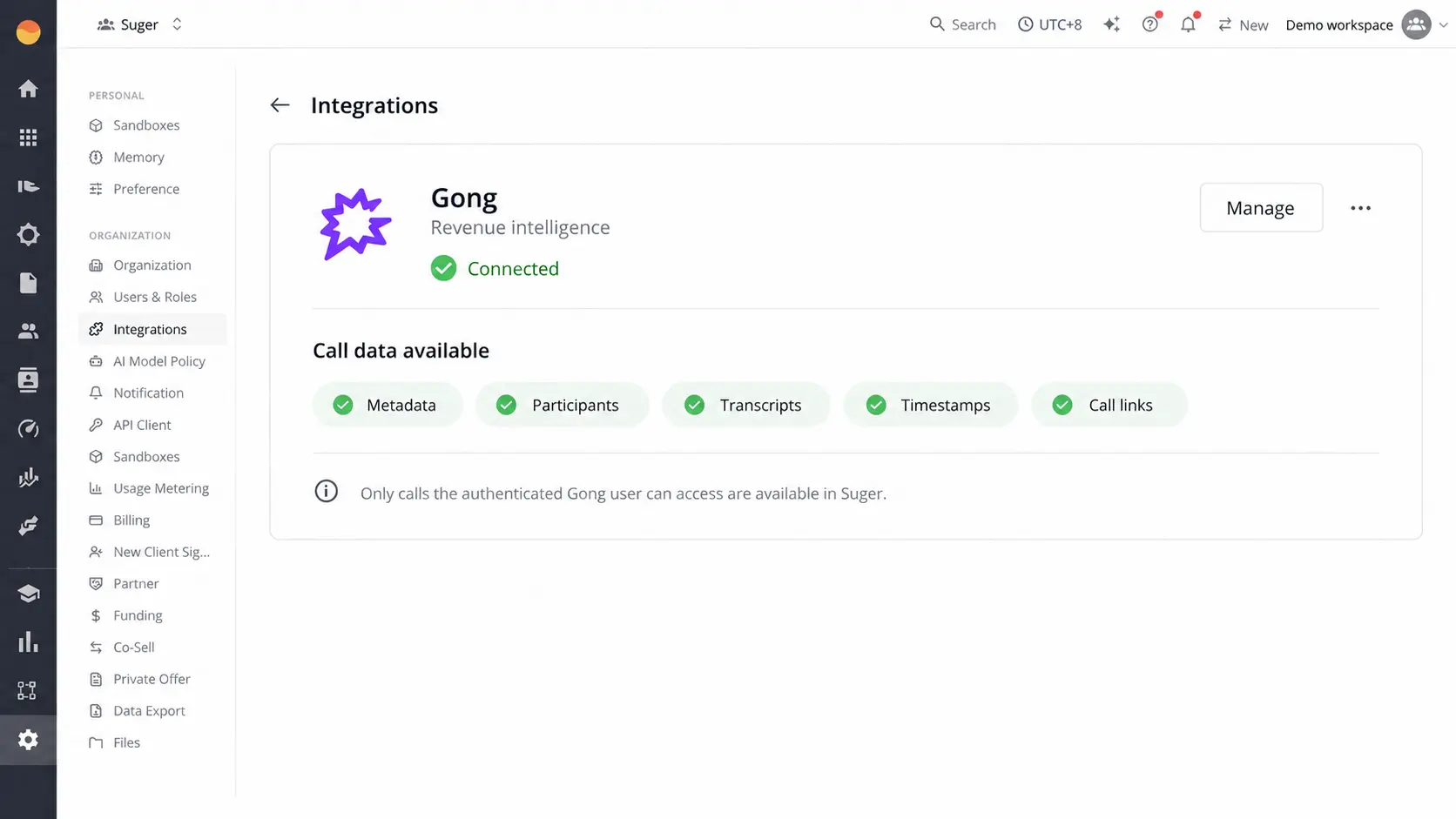
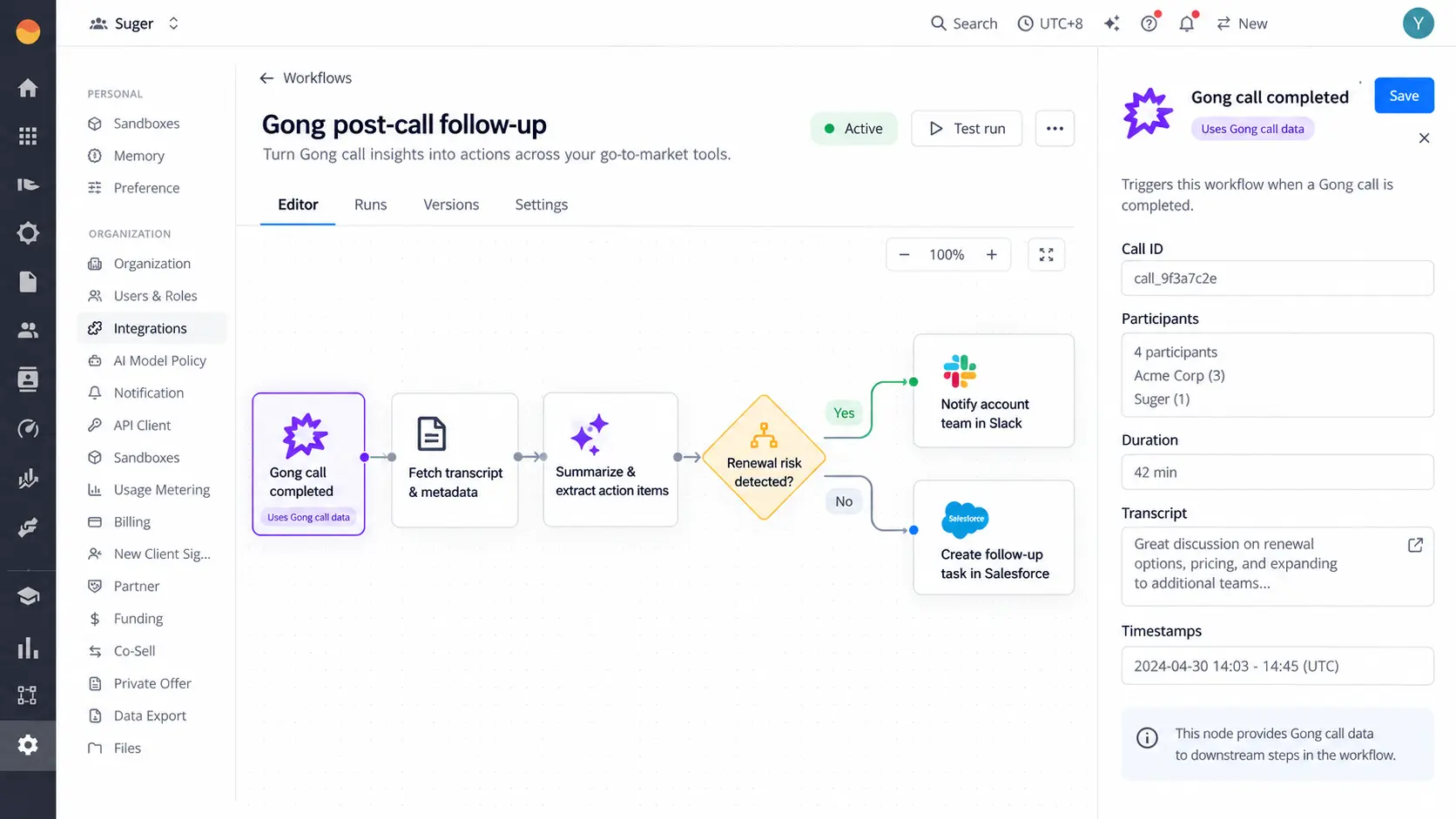
When a Gong call is completed, Suger can retrieve the call metadata, participants, transcript, timestamps, and call URL. Suger workflows can be configured to: - Generate a call summary and key topics. - Extract action items, owners, and next steps. - Identify renewal risks, objections, pricing concerns, competitive mentions, and buying signals. - Notify the account team in Slack. - Create follow-up tasks in Salesforce. - Include timestamped evidence and a link to the original Gong call. Workflow actions and destinations are configured by the customer in Suger.
Understand how Gong call insights are generated and displayed
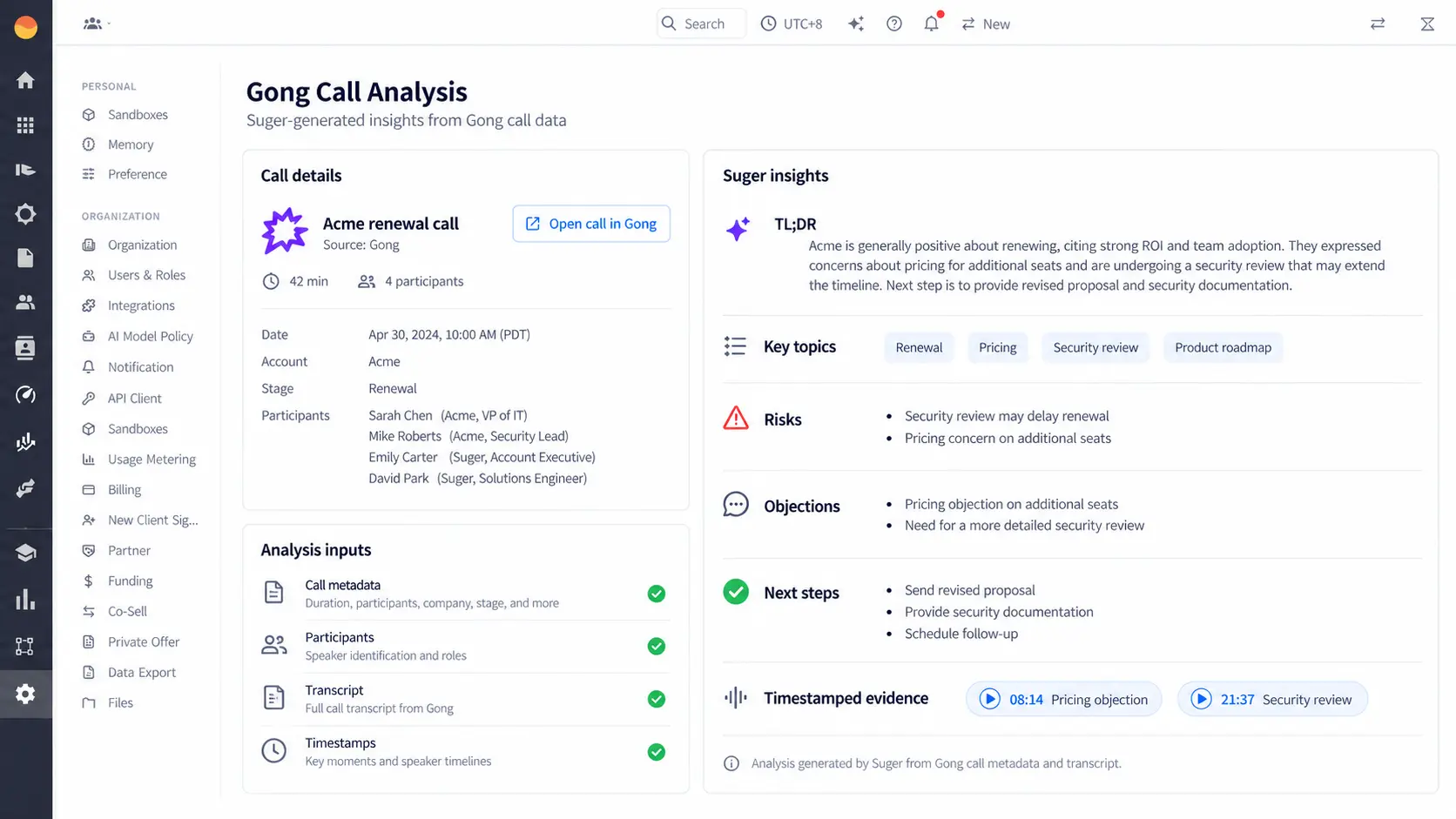
Suger analyzes the transcript and metadata retrieved from Gong. The analysis considers the language used during the conversation, participants, timestamps, discussed topics, objections, risks, commitments, and requested next steps. Suger-generated results are displayed at the individual-call level in the Suger AI panel as a TL;DR summary, key topics, risks and objections, competitive and pricing mentions, recommended next steps, and timestamped supporting evidence. Users can open the original call in Gong directly from the analysis. These insights are generated by Suger using Gong call data; they are not presented as native Gong analytics.
Benefits
Turn Gong conversations into accountable follow-up
Convert Gong conversations into structured summaries, risks, objections, owners, and next steps. Suger displays each insight with supporting transcript timestamps and can route the results into configured workflows, including Slack notifications and Salesforce follow-up tasks.
FAQ
Gong is connected to Suger once by a Gong technical administrator. Suger does not automatically mirror each individual Gong user’s call permissions.
After Gong is connected, Gong call data available through the admin-authorized connection can be used inside Suger by Suger users who have access to the relevant Gong-enabled workspace, agent, or workflow. Suger admins should only grant access to users who are authorized to view or analyze the connected Gong call data.
If needed, admins can limit access in Suger by controlling which users, teams, agents, or workflows are allowed to use the Gong integration.
After Gong is connected, Gong call data available through the admin-authorized connection can be used inside Suger by Suger users who have access to the relevant Gong-enabled workspace, agent, or workflow. Suger admins should only grant access to users who are authorized to view or analyze the connected Gong call data.
If needed, admins can limit access in Suger by controlling which users, teams, agents, or workflows are allowed to use the Gong integration.
Integration Diagrams
Data
calls
calls

Data
calls
calls
Requirements
Subscriptions Required
Requires an active Suger account. Requires an active Gong account with API access. No separate third-party subscription is required.
Authenticating User Requirements
To authenticate this integration for the first time, a Gong Technical Administrator and a Suger Organization Admin are required.
Connect
Learn how Suger can support your cloud marketplace revenue growth.