








Zell
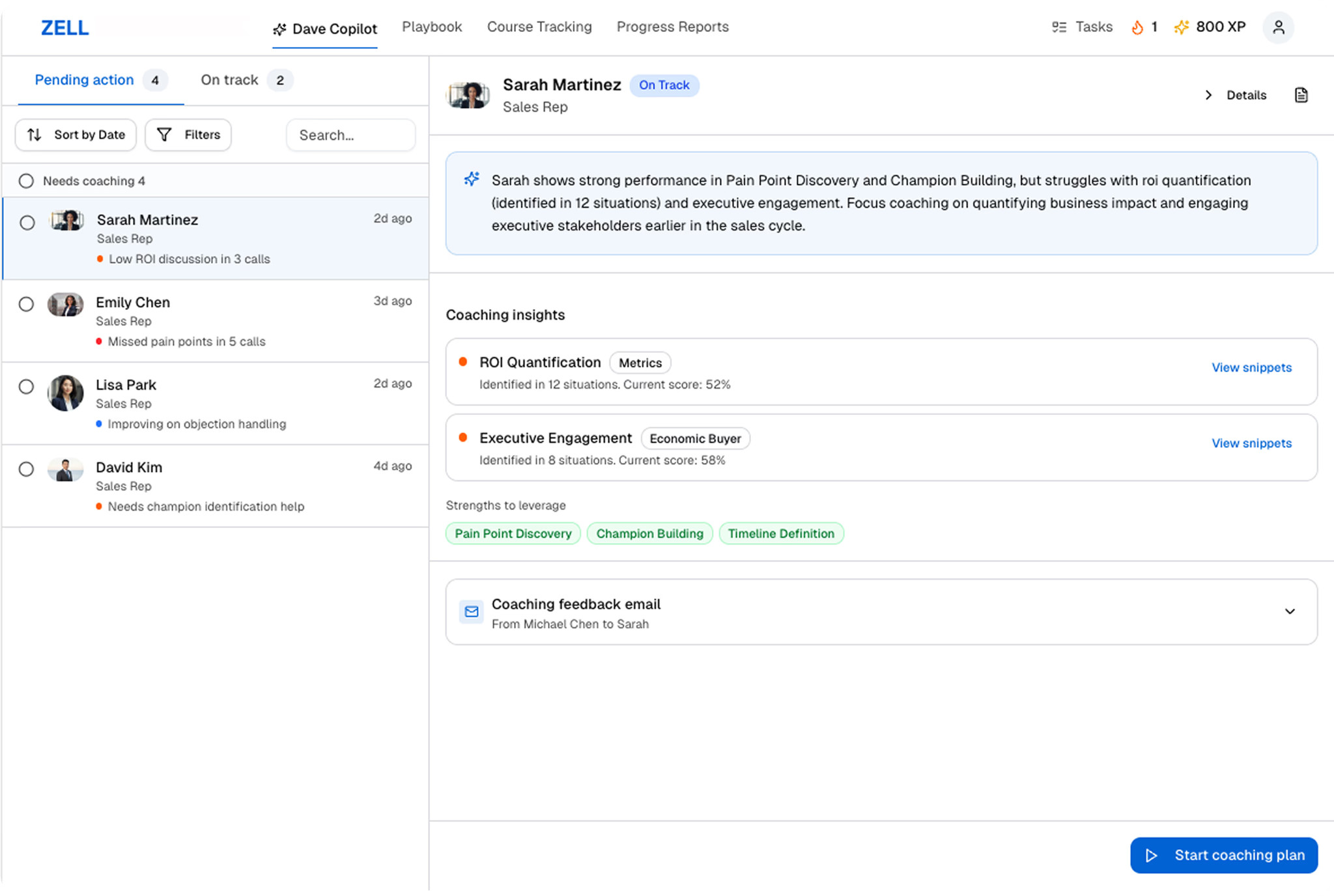
Zell is a Sales Performance Intelligence Platform that analyzes real calls, identifies skill gaps, and delivers AI-powered coaching and training â all in a continuous improvement loop, fully GDPR compliant.
About
Zell is an AI-powered sales coaching platform that turns real customer conversations into personalized training and skill development for sales teams. We help reps ramp faster, improve call quality, and consistently execute winning sales behaviors.
Media
Features
Use Gong Data in Zell
Zell surfaces Gong call recordings, transcripts, and metadata.
Use this data to generate AI-powered coaching feedback, scorecards, and skill assessments based on real customer conversations. Each user only sees their own calls in Zell, matching their visibility in Gong.
Use this data to generate AI-powered coaching feedback, scorecards, and skill assessments based on real customer conversations. Each user only sees their own calls in Zell, matching their visibility in Gong.
Benefits
Coach reps faster with real Gong calls
Automatically turn Gong recordings and transcripts into structured coaching feedback and scorecards, so reps improve faster using real customer conversations.
Standardize winning behaviors across the team
Create consistent, repeatable coaching moments from Gong calls to reinforce your sales methodology and make “great” measurable across every rep.
Reduce manual enablement work
Eliminate time-consuming call review and note-taking by converting Gong call data into actionable insights and next steps inside Zell.
FAQ
To connect Gong to Zell, a Gong Tech Admin authorizes the integration once on behalf of the workspace. Once connected, calls typically appear in Zell after Gong has finished processing the recording and transcript (timing can vary). Each Zell user only sees their own calls, matching their visibility in Gong. You can disconnect the integration at any time; data already imported into Zell remains subject to your retention settings.
Zell imports Gong call data such as recordings, transcripts (when available), and key call metadata (e.g., meeting title, date/time, participants) so you can generate coaching feedback and scorecards from real customer conversations. Each Zell user only sees the calls they have access to in Gong.
The Gong integration authenticates once at the admin level, meaning a Gong Tech Admin connects the integration on behalf of the workspace. While the integration imports calls through the admin connection, each Zell user only sees their own calls, matching their visibility in Gong. Only the tenant admin in Zell has access to all imported calls. Individual users never see calls they wouldn't have access to in Gong.
Integration Diagrams
Data
Calls
Calls

Data
Call
Call
Requirements
Subscriptions Required
Customers need an active Gong subscription and access to the calls they want to import into Zell.
Authenticating User Requirements
To authenticate this integration for the first time, a user must be a Gong Tech Admin and have admin permissions in Zell
Connect
The Zell + Gong integration automatically imports your Gong call recordings, transcripts, and key metadata into Zell so you can generate feedback, scorecards, and targeted coaching from real calls. Customers can use Gong conversations to power continuous enablement—turning every call into measurable skill improvement and repeatable best practices.