








Zentrik
Zentrik is AI software for product planning that turns customer calls, support tickets, documents, and roadmap ideas into evidence-backed decisions, specs, and AI coding context.
About
Zentrik helps product teams connect customer evidence to the decisions they make and the work they ship. Bring together sales calls, support feedback, and research to understand customer needs, evaluate ideas, and keep the reason behind each decision attached to delivery.
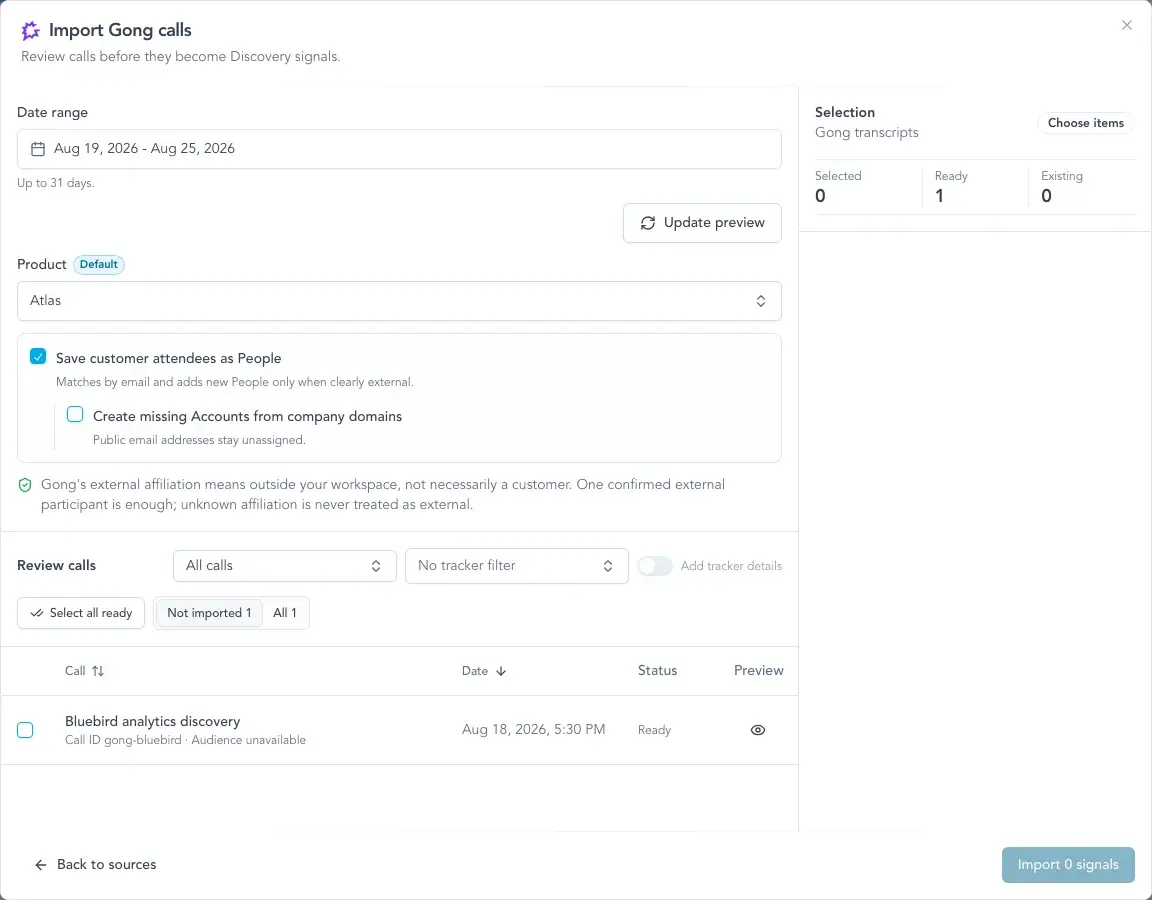
With Gong connected, import selected call transcripts or configure recurring imports for the conversations that matter to your team. Zentrik uses AI to identify pain points, feature requests, and product insights while preserving the source evidence. Product teams can trace insights back to the conversation and connect them to opportunities, ideas, and product plans.
Media
Features
Use Gong Data in Zentrik
Import Gong call transcripts into Zentrik and identify customer needs, pain points, and feature requests. Review individual conversations or configure recurring imports, with insights linked to their source evidence.
Benefits
Find customer needs across conversations
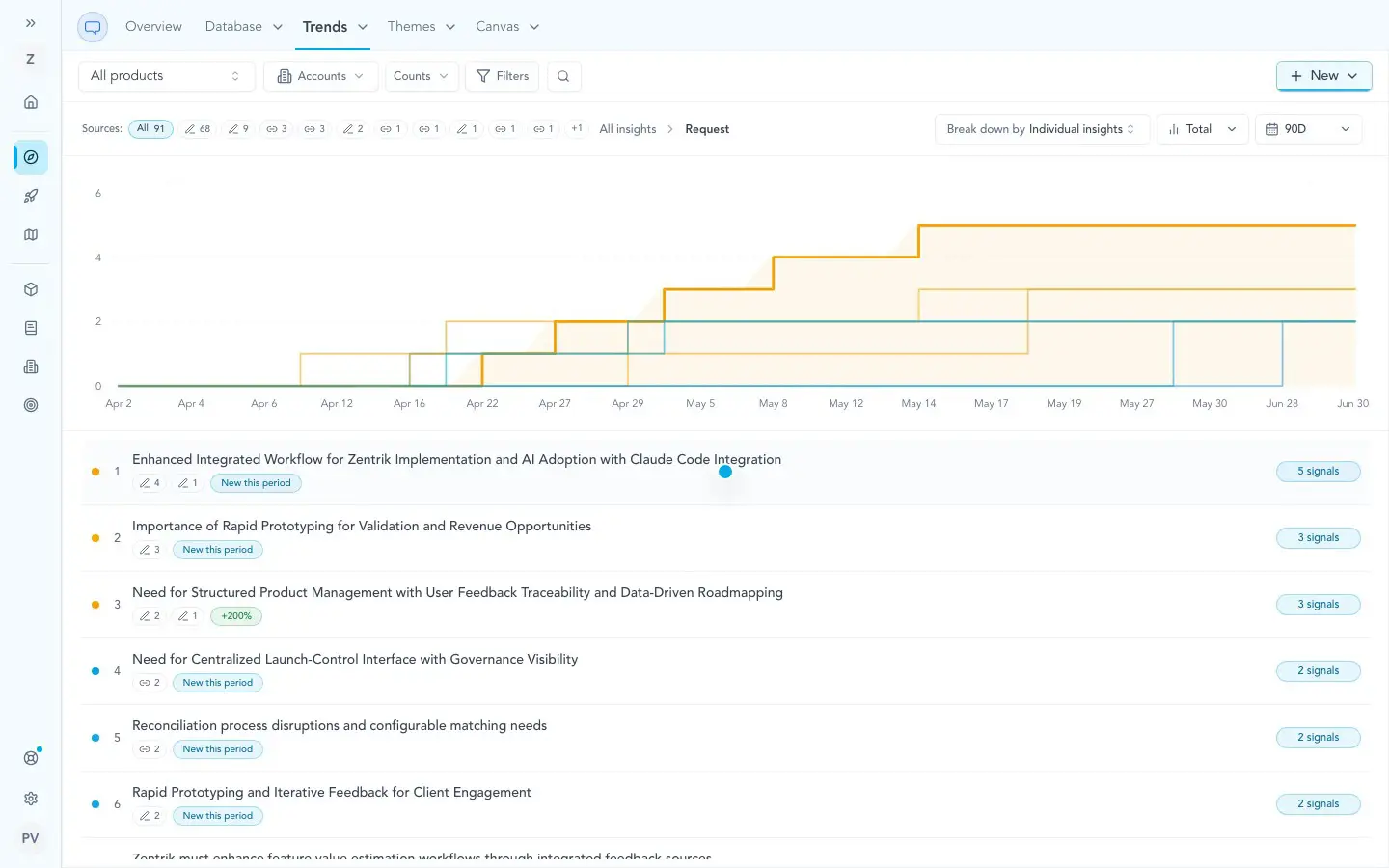
Review insights from Gong calls alongside support feedback and research to understand which customer problems repeat.
Keep decisions connected to evidence
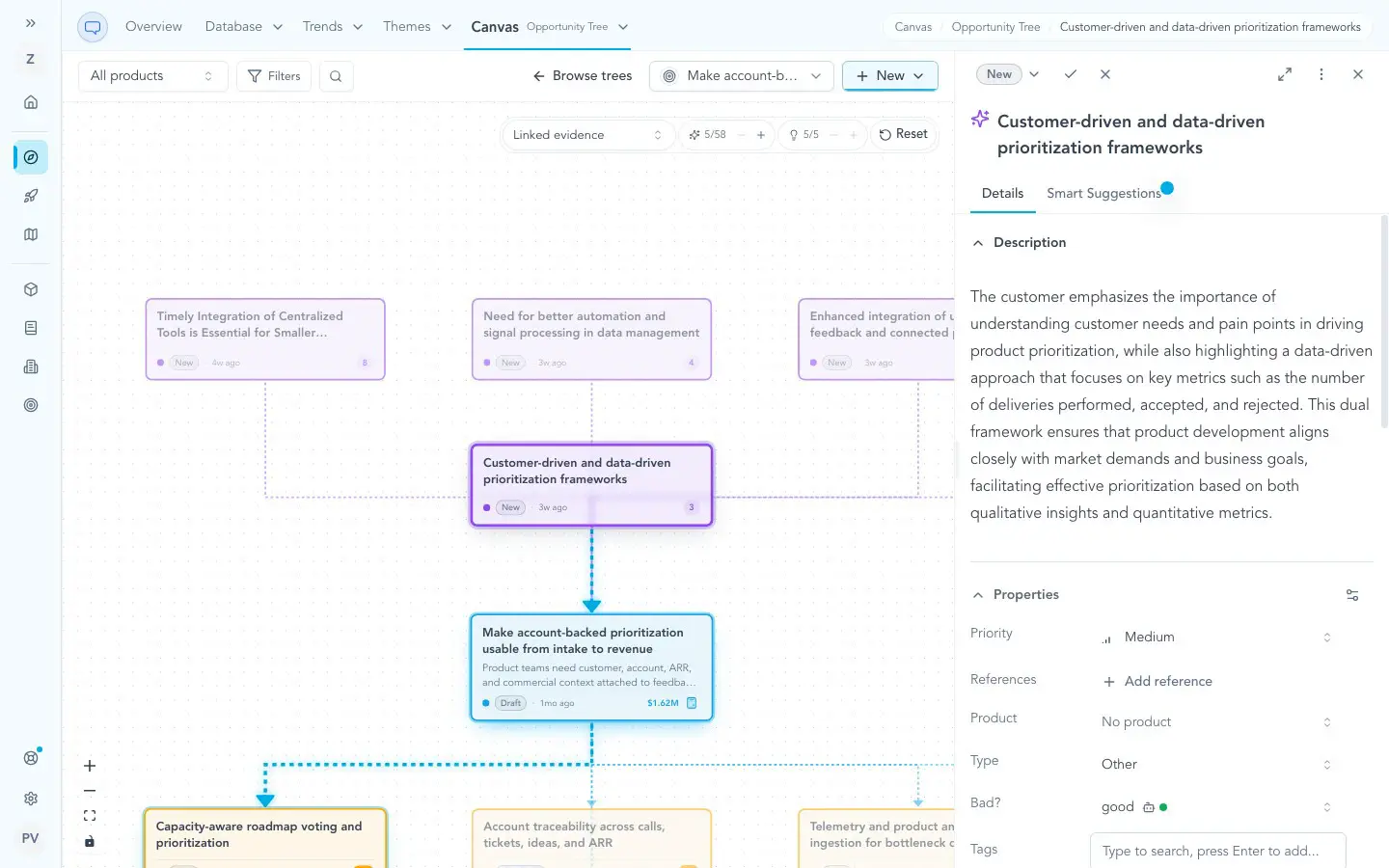
Trace insights back to the conversations that support them, then connect that evidence to product opportunities and ideas.
Focus on relevant calls
Select calls individually or configure recurring imports with date windows, title rules, and Gong tracker filters.
FAQ
Zentrik imports call transcripts and relevant call details, including speaker and participant context. Optional Gong tracker filters help you select relevant conversations. The integration does not download audio or video recordings.
Zentrik analyzes imported transcripts to identify customer needs, pain points, and feature requests. Insights remain linked to their supporting evidence so your team can review the original context and connect findings to product opportunities and ideas.
Yes. Review and select individual calls, or configure recurring imports with rules such as date windows, title matching, and Gong trackers. You can also require calls to include an external participant.
No. The integration uses read-only permissions to retrieve calls, transcripts, call details, and tracker settings. It does not create, update, or delete data in Gong.
Integration Diagrams
Zentrik retrieves Gong transcripts and call details through a read-only connection. Imported conversations become signals, which Zentrik analyzes for product insights linked to the original evidence.
Data

Data
Zentrik insights
Zentrik insights
Requirements
Zentrik workspace
An active Zentrik workspace with Gong integration access is required. A workspace owner or admin must configure the connection.
Gong Tech Admin approval
An active Gong account with access to the required calls and transcripts is required. A Gong Tech Admin must authorize the OAuth connection and approve the requested read permissions.
Connect
You’ll need a Zentrik workspace owner or admin and a Gong Tech Admin to authorize the connection.
- Sign in to Zentrik and open Discovery → Import signals → Gong.
- Choose OAuth, then click Connect to Gong.
- Sign in to Gong as a Tech Admin and approve the requested read permissions.
- You’ll return to the Gong import dialog in Zentrik. Review the available calls, select the conversations you want, and import them for analysis.
You can also connect through Settings → Integrations → Gong. API key and secret authentication remains available, and existing API key connections continue working.
For detailed instructions, visit the Gong setup guide.